The three-minute button
One press, three minutes of live research, real money every time. The engineering that makes it dependable: one row of truth, a queue lane of its own, a lock, and model output treated like form input.

Subhankar Denria
Software Architect · Product Engineer
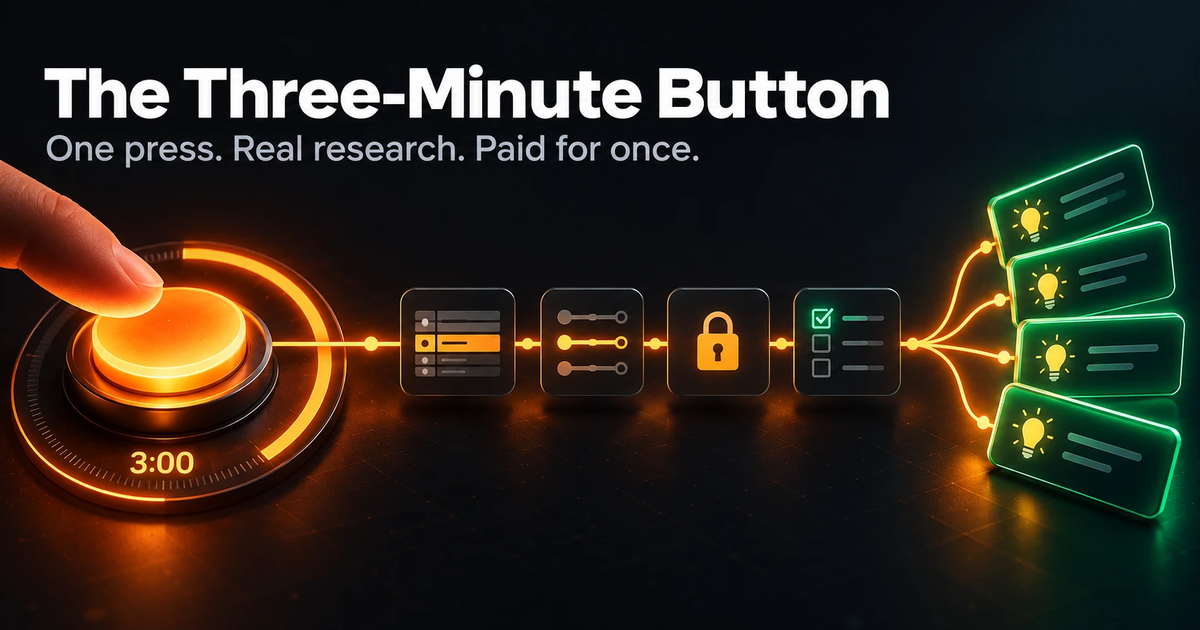
Most buttons in a web app hand back something that's already stored. That's why they're instant and free: there's no work to do. Press this one and the work actually gets done. It researches the live web for three to five minutes, weighs what it finds against the organisation's own history, and comes back with four ideas they can act on the same day — for about 13p.
Part one was about the money — why the work is split between ordinary code and the model, and how a run went from £2.05 to 13p. This series is about everything that post skipped: the plumbing. How a long, paid job runs inside an ordinary web app so that every press is paid for exactly once, every run reaches a clear finish, and every customer's data stays their own.
- What one press does
- Three to five minutes of live research, and four ideas ready to act on
- What it costs
- About 13p a run, measured to the cent
- What the plumbing guarantees
- One press, one paid run, a progress page that always moves, and a bill explained to the cent
What makes this button different
An ordinary button and this one look the same from the outside. A press, a page, a result. The difference is what happens in between: one looks something up, the other does research a person would otherwise do by hand.
Fetches what is already stored
Researches the live web for you
Then weighs it against your own history
The same data you put in
Four ideas, ready to act on
Each with a date, a goal and its sources
~200 ms
3–5 minutes
Of real research, shown live as it happens
Nothing
About 13p
Measured to the cent, on every run
An ordinary button hands back what you already have. This one does the research for you — so it gets plumbing to match.
Doing real work on every press raises questions an ordinary request never has to answer:
- 1Where does the work actually run, if it can't run inside the request?
- 2How does the browser find out what's happening while it runs?
- 3How is every run paid for exactly once?
- 4How does every run reach a clear ending, even through a restart or a deploy?
- 5How do you test any of it without an API key and a bill?
None of these questions is about AI. They are what any job that does real work needs — a video encode, a bulk import, a credit check, a PDF render. The model was the easy part. This is the engineering that makes it dependable.
One press, start to finish
Here is what an admin at a small organisation actually sees, from the press to a draft they can edit.
- 0:00
The press
The request returns at once. A run row is written and the job is queued.
- 0:01
The progress page
The first update lands after 1.2 seconds, then every two.
- 0:05
Their own numbers
Plain code reads the profile and past performance. No model involved yet.
- 0:15
Live research
The page names each search and each page read. Findings and sources fill in as they are verified.
- ~3:00
Four ideas
One more model call turns the research into ideas, and every field is checked before it is saved.
- After
A draft, in the usual editor
Approving an idea creates a draft and hands over to the screen people already know.
Every part of this series protects one stretch of that timeline. Each opens with a real moment — a deploy mid-run, a double-click, an answer with a slip in it — and shows what a typical first build does with it, and what this one does.
The whole thing, on one picture
Six moving parts. The trick is that they only ever talk to each other through one database row.
The browser
One button, then a progress page
The web request
Takes a lock, writes a row, queues a job
One row · the only shared truth
idea_runsThe queue worker
Its own connection · 3 processes · no retries
The model
Researches the live web; its answers are checked before anything is saved
Everything in this series comes back to that row. The browser reads it. The worker writes it. The usage limits count it. Support staff help a customer by updating it. There is no in-memory state, no socket connection holding the truth, and nothing a restart can lose.
The five ideas, in one line each
If you read nothing else:
- One row is the truth. Every other component reads and writes that row and nothing else. It makes the whole feature inspectable with a SQL query, and recoverable with an UPDATE.
- A long job needs its own lane. Queue defaults are tuned for two-second emails. Give a three-minute job timing rules of its own and it runs exactly once, start to finish.
- A check is not a lock. A check stops the second click. Only an atomic lock stops two clicks that arrive in the same millisecond.
- The paid dependency goes behind an interface on day one. That single decision bought development before the key existed, tests with no spend, demos with no bill, and a graceful fallback when a key goes missing.
- Model output is form input. Parse it, clamp it, check it against a whitelist, and only then save it. It is the least glamorous idea here, and it's why every fact on the page can be stood behind.
What's in each part
Each part is written to stand on its own. They're in build order, not importance order.
| # | Part | What it answers |
|---|---|---|
| 1 | One row tells the whole story | Where the state lives, and how a page watches a job it can't see |
| 2 | A lane of its own | Why a long job needs its own queue connection, and the timeouts that have to agree |
| 3 | Never paying twice | Double clicks, simultaneous requests, and an allowance counted fairly |
| 4 | One door to the model | Reading the model's answer correctly, keeping every paid result, and counting cost to the cent |
| 5 | Treat the answer like form input | Clamping, whitelisting, and the three jobs that are better done in plain code |
| 6 | Built without an API key | One interface, 33 tests, no network, no spend — and the two commands that run it |
1
- What it answers
- Where the state lives, and how a page watches a job it can't see
2
- What it answers
- Why a long job needs its own queue connection, and the timeouts that have to agree
3
- What it answers
- Double clicks, simultaneous requests, and an allowance counted fairly
4
- What it answers
- Reading the model's answer correctly, keeping every paid result, and counting cost to the cent
5
- What it answers
- Clamping, whitelisting, and the three jobs that are better done in plain code
6
- What it answers
- One interface, 33 tests, no network, no spend — and the two commands that run it
A note on what's shown here
The product this was built for isn't named, and nothing here identifies a customer. Table names, commands and routes have been made generic, and the code is shown as pseudocode rather than in any one language. None of that changes the engineering. It was built on an ordinary web framework with a database-backed job queue, and every idea here — the queue timing, the lock, the validation — has a direct equivalent in whatever stack you use.
Written by
Subhankar Denria
Software Architect · 25+ products shipped