How We Built Biometric Authentication Into a Fintech Donation App
Face ID on iOS. Fingerprint on Android. One Flutter codebase. Here's exactly how we integrated biometric authentication into OneDonate — a production fintech app — without touching the existing backend auth architecture.

Subhankar Denria
Software Architect · Product Engineer
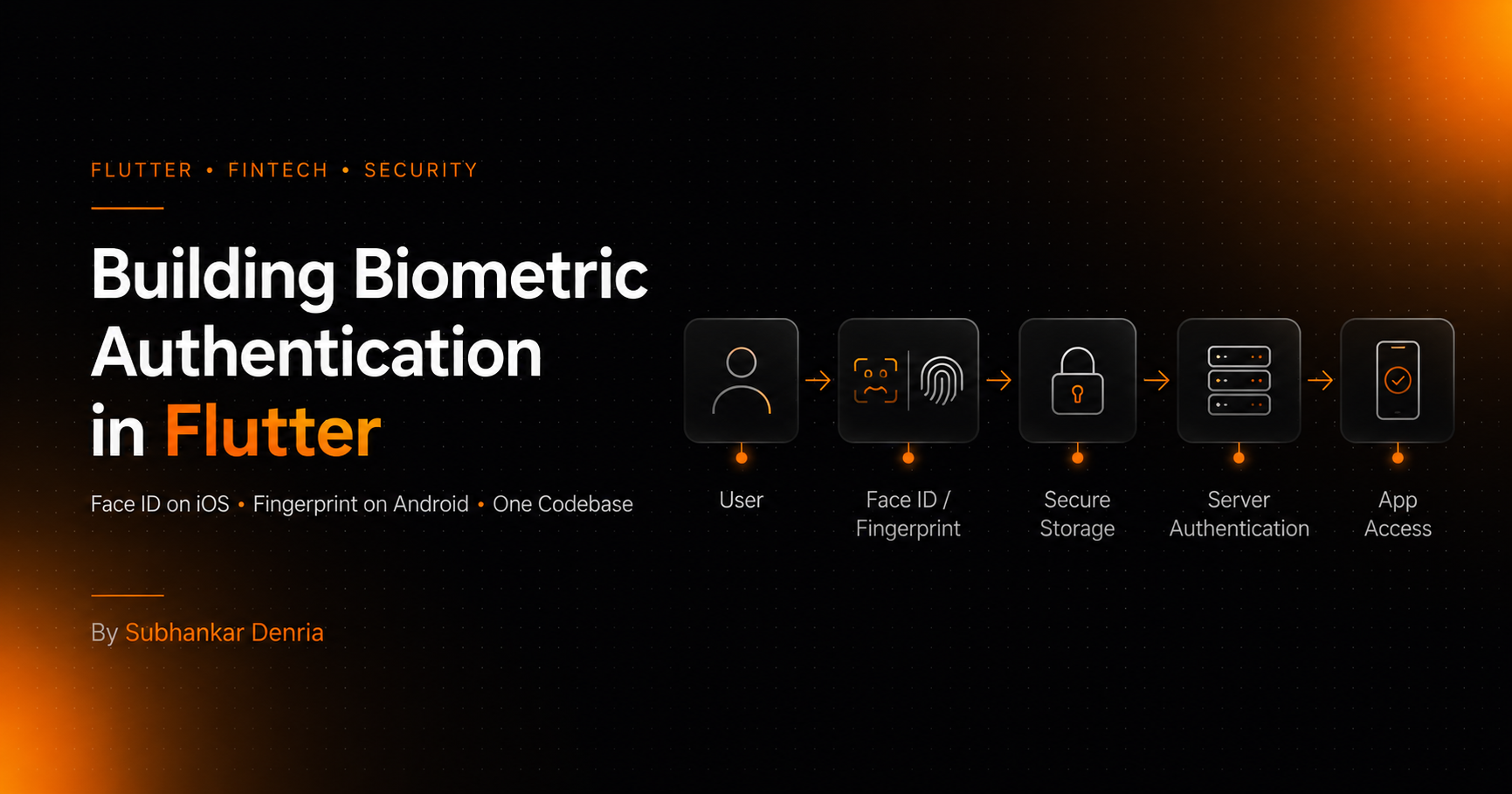
While building OneDonate — a platform focused on making charitable giving fast and accessible — we noticed something during testing. Users would open the app intending to donate within seconds, but the authentication flow was getting in the way.
- Open app
- Enter email
- Enter password
- Authenticate
- Continue to payment
Biometric authentication in OneDonate — Face ID on iOS, fingerprint on Android
For a product where the entire value proposition is frictionless giving, every extra second matters. We wanted to reduce that friction without compromising security. The solution: Face ID on iOS, fingerprint on Android, unified in a single Flutter codebase.
The Goal — And What It Wasn't
The objective wasn't simply 'add biometrics.' The real challenge was integrating biometric authentication into an existing production architecture cleanly — without breaking session handling, duplicating auth logic, or creating platform-specific codepaths.
- Preserve existing session and token handling
- Keep backend authentication unchanged
- Support platform-native UX (Face ID on iPhone, fingerprint on Android)
- Avoid duplicating authentication logic across platforms
- Handle failure gracefully — invalid credentials, unenrolled devices, hardware unavailability
“Biometrics would extend the authentication flow — not replace it.”
The Core Security Model (Most Developers Get This Wrong)
A common misconception: Face ID or fingerprint authentication directly authenticates a user with the server. That is not how production-grade biometric auth works, and building it that way would be a security mistake.
The correct model:
- 1Biometrics unlock secure local credentials stored on the device
- 2The app retrieves the stored authentication token
- 3Standard server-side authentication proceeds with that token
The backend never knows or cares that biometrics were involved. It just receives a valid token. This keeps the server auth model simple and unchanged.
User
Opens app
Biometric Prompt
Face ID · Fingerprint
Secure Storage
Keychain · EncryptedPrefs
Server Auth
Laravel API
App Access
Authenticated session
The Implementation
The stack already included Flutter, Riverpod, Laravel APIs, flutter_secure_storage, and Stripe Connect. We added two packages: local_auth for the biometric prompt, and continued using flutter_secure_storage for hardware-backed credential storage — iOS Keychain on iPhone, EncryptedSharedPreferences on Android.
Flutter UI
Screens · Widgets · Riverpod state
Biometric Service
local_auth — wraps platform biometric APIs
Secure Storage
iOS Keychain · Android EncryptedSharedPreferences
Laravel Backend
REST API · Sanctum token auth
Stripe Connect
Payment & subscription layer
We wrapped everything in a single BiometricAuthService to keep the rest of the app's auth flow untouched:
class BiometricAuthService {
  final LocalAuthentication _auth = LocalAuthentication();
  final FlutterSecureStorage _storage = const FlutterSecureStorage();

  Future<bool> isAvailable() async {
    return await _auth.canCheckBiometrics ||
           await _auth.isDeviceSupported();
  }

  Future<bool> authenticate() async {
    try {
      return await _auth.authenticate(
        localizedReason: 'Sign in to OneDonate',
        options: const AuthenticationOptions(
          stickyAuth: true,
          biometricOnly: true,
        ),
      );
    } on PlatformException {
      await _clearCredentials();
      return false;
    }
  }

  Future<void> storeCredentials(String token) async {
    await _storage.write(key: 'biometric_token', value: token);
    await _storage.write(key: 'biometric_enabled', value: 'true');
  }

  Future<String?> retrieveToken() async {
    final enabled = await _storage.read(key: 'biometric_enabled');
    if (enabled != 'true') return null;
    return _storage.read(key: 'biometric_token');
  }

  Future<void> _clearCredentials() async {
    await _storage.delete(key: 'biometric_token');
    await _storage.write(key: 'biometric_enabled', value: 'false');
  }
}
Authentication Flow
First-Time Login
After a successful email/password login, we prompt the user to enable biometrics. Timing matters here — prompting immediately after a successful login produced the best adoption rates. The context feels natural because the user just authenticated.
// After successful login, offer biometric setup
if (await biometricService.isAvailable()) {
  final enable = await showEnableBiometricsDialog(context);
  if (enable) {
    await biometricService.storeCredentials(authToken);
  }
}
Returning User Login
On subsequent opens, the app checks for stored biometric credentials and triggers the native prompt. If successful, it retrieves the token and proceeds with server authentication as normal.
// On app open — check for biometric login
final token = await biometricService.retrieveToken();

if (token != null) {
  final authenticated = await biometricService.authenticate();
  if (authenticated) {
    // Standard API call with token — backend unchanged
    await authRepository.loginWithToken(token);
  }
} else {
  // No biometric credentials — show standard login
  navigateToEmailLogin();
}
The Payment Confirmation Layer
The most impactful part of this implementation was extending biometrics beyond login. We reused the same authenticate() call to confirm sensitive actions before they executed:
- Donation submission
- Subscription setup
- High-value payment actions
- Tap-to-Pay confirmation flows
This created a banking-style confirmation pattern — familiar, trusted, fast — without writing any new auth infrastructure. The biometric prompt IS the confirmation. No extra taps, no modal dialogs.
Architecture Decisions That Mattered
1. Biometrics as a Retrieval Mechanism, Not an Auth System
Treating biometrics purely as a secure key to unlock stored credentials — rather than a server-auth mechanism — kept the backend completely unchanged. The Laravel API never needed to know biometrics existed. That's a good sign: the feature is additive, not invasive.
2. Platform-Native UX Without Platform-Specific Code
local_auth automatically uses Face ID on iPhone and fingerprint on Android, and surfaces the correct system prompt for each. We didn't write a single platform-specific UI string — it adapts based on device capabilities. One codebase, two native experiences.
3. Security-First Fallback Handling
Biometric credentials can become invalid — the user re-enrols their fingerprint, a new face is added to the device, or hardware becomes unavailable. We handle all of these the same way: catch the PlatformException, clear stored credentials, redirect to standard login. No broken states.
- Biometric access is automatically disabled on any PlatformException
- Stored credentials are cleaned from secure storage immediately
- The app falls back to standard email/password login without user confusion
What We Learned
Authentication friction is a silent conversion killer. It doesn't show up obviously in analytics — users just abandon the flow without logging it as a specific pain point. Removing it compounds across every session: better retention, higher payment completion, more trust in the product.
The implementation took less time than expected precisely because we didn't try to change the backend. If you're adding biometrics to an existing app, the biggest decision is architectural: biometrics unlock credentials, they don't replace your auth system. Get that right and the rest is straightforward.
“The most interesting part technically wasn't the biometric APIs. It was designing an authentication layer that could remain secure, scale cleanly, and integrate into a production fintech workflow without touching existing systems.”
Written by
Subhankar Denria
Software Architect · 25+ products shipped