
Proving it's yours: the second half of one-tap sign-in

Subhankar Denria
CTO & product engineer
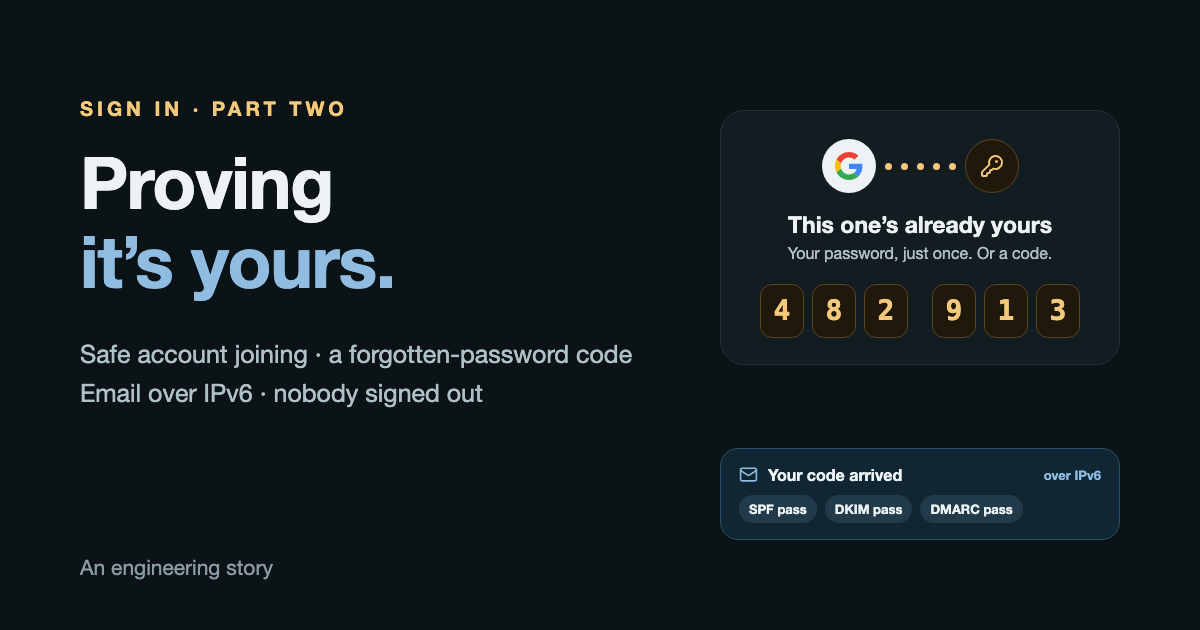
What this part does
Make "Continue with Google" safe to join an existing account, give people a way back when they forget a password, and send the email that needs, from a server with no IPv4 address.
- Built
- In two days
- Closes
- A quiet gap in how accounts were joined
- Costs
- Still $0 a month
The first half of this story ended on a rule: when someone taps Continue with Google or Apple, and an account already has that email, join it instead of making a second one. People who signed up with a password find everything still there.
It's the right rule. It also leaned on something nobody had checked: that the email typed at sign-up belonged to whoever typed it. Anyone could sign up with any address. If someone ever made an account in another person's name, the real owner, tapping Continue with Google later, would be joined into an account whose password somebody else had chosen.
Unlikely, but real. This is how it closed, and what came with it.
When one tap needs one more step
Most taps still need nothing extra. The new step appears in exactly one case, once:
No account has this email yet
A new account, in one tap
The account was made with this Google account
Straight in, in one tap
The account was made with a password, and its email never proven
Prove it once: that password, or a code to the inbox
The account is already joined to a different Google account
Refused, never taken over
Four ways to close it were on the table:
Ask for that account’s password once
What a person sees: One sheet, once
Chosen
Prove the inbox with an emailed code
What a person sees: A six-digit code
Added a day later
Keep joining as before
What a person sees: Nothing
The gap stays open
Replace the password, sign everyone out
What a person sees: Nothing, until it matters
Never
Asking for the account's password once is the standard answer for an email that was never proven: Google, Firebase and Auth0 all advise it. The emailed code came a day later, as soon as the server could send email. It also covers the case that matters most: if someone else chose the password, the real owner can still prove the inbox is theirs.
The one option that was never on the table: replace the password and sign everyone else out. In this app, a phone that's quietly signed out stops doing its job, and nobody would notice until it mattered.
What a person sees
A sheet slides up, once. Two marks join at the top: Google's (or Apple's) and their own account, with a line of gold dots between them. Try both ways through it:
This one’s already yours
Your password, just once. Then Google opens it.
- The right password or code: in, and from then on it's one tap.
- The wrong one: it says so, and stays.
- Not now: nothing changes.
- Nobody is signed out anywhere. The password keeps working on their other phones.
- An account already joined to a different Google account is refused, never taken over.
Once joined, the email counts as proven, so a later Continue with Apple with the same address goes straight in.
Two smaller fixes came along. Signing up again with an email in use used to show the framework's own "The email has already been taken." It now says what to do: "This email already has an account. Tap 'I already have an account' to sign in." And under Continue with Apple there is a hint: "On Apple's screen, choose 'Share My Email'." Pick "Hide My Email" instead, and the app receives a relay address it can't match to the account you already have.
A server with no IPv4 needs to send email
Codes need email, and the server couldn't send any. It had never needed to.
The obvious choice was the provider that already runs the domain's inbox. It answers only on IPv4, as do most email services, and this server has only IPv6. The same lesson as Apple, a week later. So each service was checked, the same way:
The inbox provider the domain already uses
…Most email sending services
…One sending service’s API
…The first test email, as Gmail saw it
One sending service's API does answer on IPv6. It's free for 300 emails a day with no card, and signs mail as the app's own domain. The domain got two DKIM records, and its single SPF record now lists both the inbox provider and the sending service. A daily check keeps the API key from lapsing unnoticed. The first test emails landed in Gmail with SPF, DKIM and DMARC all passing.
"Forgot password?", with a six-digit code
Three steps: Forgot password? under the password box, then Email me a code with the address already filled in, then the code and a new password. Signed in, and nobody signed out elsewhere.
The page answers exactly the same whether or not the email has an account, so it can't be used to find out who uses the app.
The code box got some care. Six places on a line, split 3 + 3. The next place glows gold, and when all six are in, the light runs along the line. Pasting fills it at once, and an iPhone offers the code from the email above the keyboard. Type one:
6 to go
- Six digits
- Works for 15 minutes
- Five tries, then it’s dead
- A new code ends the old one
- One a minute, five an hour, per address
- Stored only as a keyed hash
The email itself is deliberately plain:
From the app · just now
Your code: 482913
Your code is
482 913
It works for 15 minutes.
If you didn’t ask for it, you can ignore this email. Nothing changes.
The code is in the subject, whole, because that's what phones read when they offer it. And with no links at all, there's nothing in it for a fake to imitate.
Signing out, properly
Two things I noticed myself after signing out, both fixed in the next release.
Stale screens. After signing out, one screen still showed the old account's people, and saving said the session had ended. Signing out deleted the copy kept in storage, but not the copy the screens held in memory. Nothing leaked and nothing changed on the server, but it was wrong.
A slow door. Signing out waited for network housekeeping, with nothing on screen. On a phone with no signal, that wait had no end.
Before
Wait: forget the phone’s push address
A network trip. With no signal, no end
Wait: wipe the phone’s local data
Nothing on screen meanwhile
The front door, at last
Screens still remember the old account
Storage was cleared; memory was not
Next release
“Signing out…”: tell the server first
The one wait that matters, so nothing is sent by mistake
The front door
Every screen told the account is gone
In the background: push address, local wipe
They finish on their own time
What I'd tell anyone joining accounts
- 1An email typed into a form proves nothing. Before you join anything to it, ask for the account's password once, or prove the inbox with a code.
- 2Never fix a security gap by signing everyone out if signing out has side effects your users can't see.
- 3Check every outside service for IPv6 before you depend on it, email included:
dig AAAA <host>. - 4Make "forgot password" say the same thing for every address, so it can't be used to look people up.
- 5Signing out must clear memory, not just storage, and should never make anyone wait for housekeeping.
1,056 tests guard the app and the server, all passing.
Booking new builds now