
One tap to sign in, and the day the server couldn't reach Apple

Subhankar Denria
CTO & product engineer
What this part does
Let people sign up or sign back in with the Apple or Google account already on their phone, without ever trusting the phone's word for it, and without giving up a server that costs nothing to run.
- Built
- In a day, live the next
- Costs
- $0 a month, by taking the long way round
- The surprise
- Apple's sign-in service doesn't answer on IPv6
Testers kept saying the same thing about signing up: it was a hurdle. An email, a password, a name, and nothing checked any of it as they typed.
That matters more for some apps than others. This one is used by people looking out for someone, and many of them are not confident with phones. The fewer things they can get wrong at the front door, the more of them make it inside. There was a sharper problem too: there was no "forgot password" yet. A forgotten password meant a lost account. (There is one now: see part two.)
So the goal was one tap, with an account people already have, and no password to forget.
Before
Three boxes, one password to remember, and nothing checked as you type.
Now
or with email
Email- One tap, with an account they already have
- Nothing to invent or forget
- The email arrives already verified
One button per phone
On an iPhone, the page shows Continue with Apple. On Android, Continue with Google. Never both.
Apple's rule says an iPhone app that offers Google sign-in must offer Apple's too. Offering only Apple on iPhone and only Google on Android keeps every phone to a single, obvious button. Email and password are still there, just under it.
On an iPhone
Create your account
or with email
EmailOn Android
Create your account
or with email
EmailChanged your mind in the sheet? The page just stays as it was.
Two small kindnesses made it feel right:
- Backing out isn't an error. If someone opens the Apple or Google sheet and changes their mind, the page simply stays as it was.
- The button looks like the platform's own. Apple's comes from Apple's own widget; Google's follows Google's style. People recognise them, and both stores expect it.
Never take the phone's word for it
Signing in with Apple or Google is like receiving a sealed letter: this is person X, with email Y, and they asked to sign in to this app. The phone gets the letter and hands it to the server.
The server never believes the letter because the phone says so. Anything can pretend to be a phone. It checks three things before it opens any account:
The seal
Signed with a key Apple or Google publishes
The address
Written for this app, not any other
The date
Not expired
On Android there is one more lock, before any letter is written. Google only hands a token to the genuine app, which it recognises by the app's name and the fingerprint of the key it was signed with. A copy signed with any other key gets nothing.
That made one detail easy to miss: an app from the Play Store can be signed with more than one key over its life. Play's own signing key, the developer's upload key, and an older Play key all had to be registered. Miss one, and Google sign-in fails for exactly the people using that copy.
The day the server couldn't reach Apple
The server behind this app runs for $0 a month. One reason it can: it has only a modern IPv6 address, and skips the IPv4 one that costs about $3.65 a month. (That trick is part 3 of A Server That Never Sleeps.)
Google answered fine. Apple didn't. The first version's self-check said Google ✓, Apple ✗: cannot reach Apple's keys … connection timed out.
One command explained it:
dig AAAA appleid.apple.com
# (no answer: Apple's sign-in service has no IPv6 address)
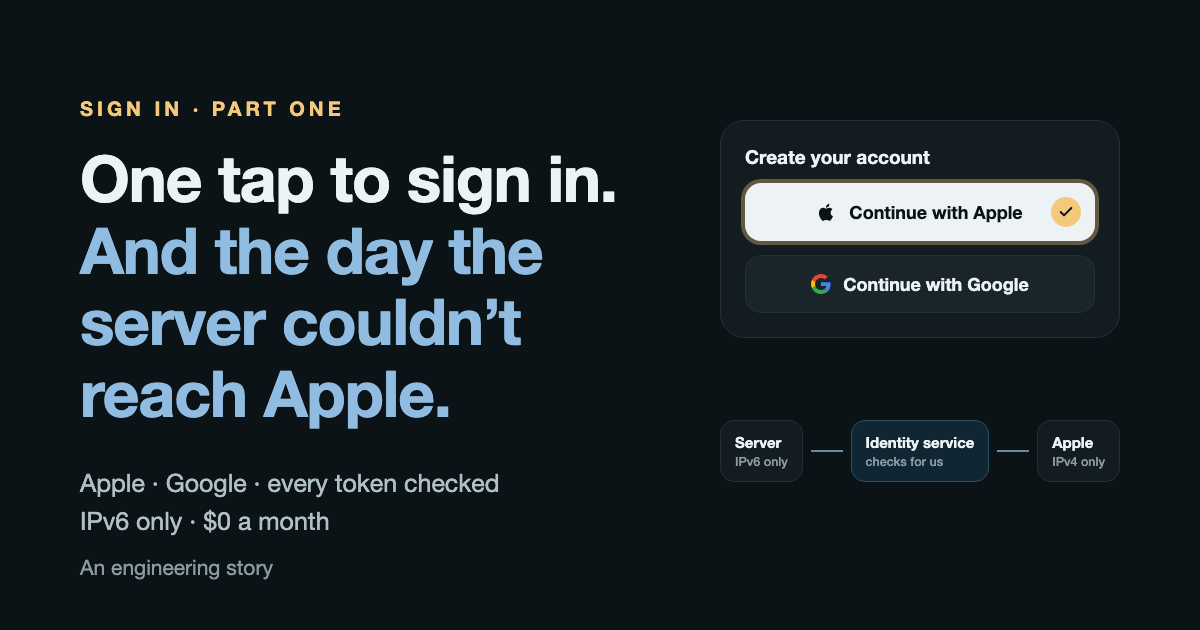
Apple's sign-in service answers only on IPv4, and IPv4 is the one thing this server doesn't have.
Google's keys
Answers on IPv6
Google's identity service
Answers on IPv6
Apple's sign-in
Answers on IPv4 only
The detour
There were three ways out:
Give the server a way out to IPv4
~$1a month
Talks to Apple directly, for a new monthly bill.
Let Google's identity service talk to Apple
$0a month
Apple sign-in works, and the server stays free.
Google only, for now
$0a month
Simplest, but iPhone users would sign in with email.
The free one won. Google's identity service, Firebase Authentication, answers on IPv6, and it can check an Apple sign-in on our behalf. The server sends it Apple's token; it checks the token with Apple; it replies with a token of its own, signed by Google, which the server checks exactly as it checks Google's. Apple's private key moved off the server entirely and now sits with the identity service instead. A key the server doesn't need is better not kept.
Two details keep the detour honest:
- A nonce stops replays. For every sign-in, the iPhone makes a random one-off value and sends Apple only its hash. The raw value goes to the server, which passes it on. The two must match, so an Apple token copied from anywhere else is worthless.
- Nothing is left behind. The identity service creates a "user" each time it checks a sign-in. The server deletes that user straight away. The app keeps the person; the middleman keeps nobody.
One account per person, however they arrive
People switch phones, and some signed up with email before the buttons existed. Whichever way they come back, they should land in the same account.
One account
Same history, same people, any phone
- Remembered by Apple's or Google's own id, so a changed email doesn't matter
- Joins an existing account only with a verified email, and a password account asks for proof once
- Apple shares the email just once, and it may be a private relay address
The rule that matters most is the quiet one: an email only joins or creates an account when Apple or Google says it is verified. Otherwise anyone could claim someone else's address and walk into their account.
Updated a day later: Google vouching for an email isn't the whole story when the account was made with a typed-in email nobody ever proved. Joining one of those now asks for proof once: its password, or a code sent to the inbox. Part two explains why.
Leaving should be as easy as arriving
Anyone can delete their whole account from inside the app. Apple adds a rule: if the account was made with Sign in with Apple, deleting it must also remove the app from the person's Apple ID. This is called revoking.
The order matters more than the steps:
Delete everything
From inside the app, any time
- 2
One more Face ID
Apple accounts only: a fresh Apple sign-in, for the next step
- 3
The account is deleted
Always. Nothing below can stop it.
- 4
Ask Apple to revoke
Only if it is the same Apple account. If Apple is slow or the person backs out, it is skipped.
Deletion never waits on Apple. If the person backs out of that last Face ID, or Apple is slow, the account is still deleted. There is one accepted gap: an Apple-made account deleted from an Android phone can't ask Apple, so it is deleted without revoking, and the person can remove the app from their Apple ID settings themselves.
While we were there: the email box got kinder
The same piece of work fixed the original complaint for people who still choose email. The form now checks as you type, and catches the slips everyone makes. Try it:
3 more characters
What I'd tell anyone adding sign-in
- 1Check the seal, the address and the date on every token, on the server. Never trust the phone.
- 2Before calling any new outside service from a server, check it has an IPv6 address with
dig AAAA <host>. It takes a second, and it would have saved a rebuild. - 3Register every signing key your Android app can be signed with, not just the one you can see.
- 4Join accounts on verified email only, and remember people by the provider's own id, not by an email that can change. If the account was made with a password, ask for it once (or an emailed code) before joining.
- 5Delete first, tidy up after. Nothing outside your control should be able to hold a deletion up.
Eleven tests guard all of it: forged tokens, a token meant for another app, an unverified email, joining an existing account, revoking only the same Apple account, and a deletion that never waits.
Booking new builds now